
Peak Season Payments Checklist for Operations Teams
Peak readiness is not only about keeping checkout live. Payment operations teams should test capacity, agree on alert thresholds, prepare backup routes, protect refund cash, check fraud controls, and plan for the work that arrives after the sale.
In this article
- Why Black Friday and Cyber Monday need a payment plan
- 1. Know what you expect
- 2. Test the full payment journey
- 3. Set a change freeze
- 4. Make alerts useful
- 5. Prepare for fraud without blocking good customers
- 6. Use retries carefully
- 7. Protect cash and settlement
- 8. Prepare the people, not only the systems
- 9. During peak
- 10. After peak
- A simple operating idea: use one traffic-light sheet
- Final check
Peak season puts the whole payment operation under pressure. More sales can also mean more declines, fraud attempts, refunds, disputes, support tickets, and reconciliation work.
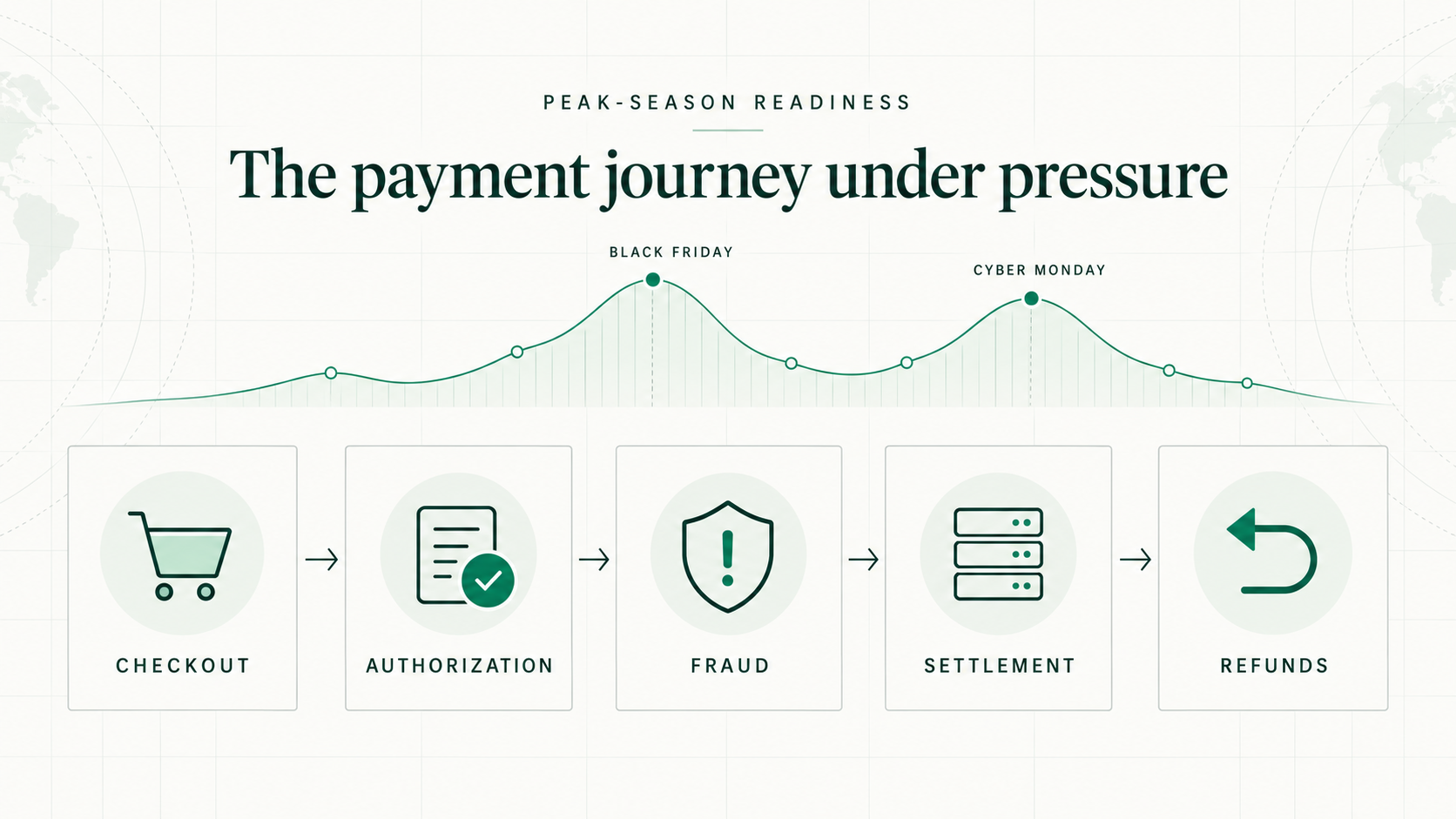
Use this checklist before, during, and after your busiest sales period.
Why Black Friday and Cyber Monday need a payment plan
Black Friday and Cyber Monday can push a large amount of traffic through checkout in a very short time. A small payment problem can quickly affect many customers and put significant revenue at risk.
These days also bring more new shoppers, larger baskets, cross-border purchases, fraud attempts, refunds, and support questions. Payment operations teams need to prepare for the full journey—not only the moment a payment is approved.
1. Know what you expect
- [ ] Forecast payment volume by day and hour.
- [ ] Estimate the highest transactions per second you may receive.
- [ ] Include promotions, product launches, and email campaigns in the forecast.
- [ ] Estimate the mix of new customers, returning customers, and cross-border buyers.
- [ ] Share the forecast with your processor, acquirer, fraud provider, and support team.
- [ ] Confirm that higher volume will not trigger an account hold or reserve review.
2. Test the full payment journey
- [ ] Test above your expected peak volume.
- [ ] Check checkout speed as volume rises.
- [ ] Check processor rate limits and timeouts.
- [ ] Confirm what happens when a processor is slow or unavailable.
- [ ] Test backup routing before you need it.
- [ ] Test webhooks, order creation, capture, cancellation, and refunds.
- [ ] Make sure a retry cannot create a duplicate charge or duplicate order.
- [ ] Check that customer-initiated, merchant-initiated, recurring, and stored-card payments use the correct flags.
3. Set a change freeze
- [ ] Pick the last safe date for major payment changes.
- [ ] Avoid adding a new processor or payment method close to peak.
- [ ] Avoid changing payout bank details close to peak.
- [ ] Record the current routing, fraud, and 3DS settings.
- [ ] Keep a simple rollback plan for every approved change.
- [ ] Allow emergency changes only, with one named approver.
4. Make alerts useful
- [ ] Record a normal baseline for approval rate, decline rate, latency, and errors.
- [ ] Break the baseline down by processor, country, issuer, card type, and payment method.
- [ ] Watch decline reasons, not only the total decline rate.
- [ ] Alert on rising latency, timeouts, API errors, and missing webhooks.
- [ ] Alert on sudden refund, cancellation, or dispute spikes.
- [ ] Give every alert an owner and a first action.
- [ ] Test every important alert before peak starts.
- [ ] Send alerts to one shared channel that the on-call team watches.
5. Prepare for fraud without blocking good customers
- [ ] Review fraud rules that use transaction speed or order value.
- [ ] Check that normal peak behavior will not look like fraud.
- [ ] Watch for many small attempts, repeated card failures, or sudden BIN activity.
- [ ] Confirm how quickly you can add a block, velocity rule, or extra 3DS step.
- [ ] Review false declines every day during peak.
- [ ] Track fraud and disputes against current card-network monitoring rules.
- [ ] Check payment-page scripts and alerts for unexpected changes.
- [ ] Make sure the team knows when to stop fulfilment and refund a suspicious order.
6. Use retries carefully
- [ ] Separate temporary declines from permanent declines.
- [ ] Retry only when the decline reason allows it.
- [ ] Set a clear limit on retry attempts.
- [ ] Do not send the same failed payment to every processor without rules.
- [ ] Keep authentication and transaction references connected across retries.
- [ ] Show the customer a clear message when they need to try another payment method.
7. Protect cash and settlement
- [ ] Confirm settlement and payout times for weekends and bank holidays.
- [ ] Keep enough cash available for refunds and chargebacks.
- [ ] Increase the refund reserve if your provider supports it.
- [ ] Test partial, full, failed, and cross-channel refunds.
- [ ] Confirm who owns a failed refund.
- [ ] Match authorization, capture, settlement, refund, and dispute records with one reference.
- [ ] Check that finance can see fees, foreign exchange, and processor deductions.
- [ ] Set a daily deadline for unresolved settlement breaks.
8. Prepare the people, not only the systems
- [ ] Name the payment incident lead for every shift.
- [ ] Keep current contact details for every provider.
- [ ] Confirm that on-call staff can access dashboards and make approved changes.
- [ ] Give customer support simple messages for declines, pending payments, duplicate charges, and refunds.
- [ ] Tell fulfilment how to handle payments that are authorized but not captured.
- [ ] Agree when finance, fraud, engineering, support, and fulfilment must join an incident.
- [ ] Run one short practice incident before peak.
9. During peak
- [ ] Start each shift with a five-minute payment health check.
- [ ] Compare results with the right baseline, not a normal low-volume day.
- [ ] Look for one weak segment before changing the whole setup.
- [ ] Record every manual change, the reason, the owner, and the result.
- [ ] Check refund failures and settlement breaks at least once a day.
- [ ] Keep a live list of open issues and the next update time.
- [ ] Do not make a large change because of one noisy metric.
10. After peak
- [ ] Keep extra coverage for refunds, returns, and disputes.
- [ ] Reconcile all payment, settlement, and refund records.
- [ ] Review approval rate by processor, issuer, country, and payment method.
- [ ] Measure false declines, fraud loss, disputes, fees, and retry recovery.
- [ ] Remove temporary fraud rules and routing changes that are no longer needed.
- [ ] Write down what failed, what worked, and what should change next time.
- [ ] Turn the top three lessons into owners and due dates.
A simple operating idea: use one traffic-light sheet
Create one shared page with the most important checks:
- Green: normal; no action needed.
- Amber: outside the expected range; one person investigates.
- Red: customers or money are at risk; start the incident plan.
For each check, show the current number, the alert level, the owner, and the first action. Keep it short enough to read in one minute.
Final check
The best peak-season plan answers four simple questions:
- What could go wrong?
- How will we see it?
- Who will act?
- What will they do first?
If those answers are clear before volume arrives, the team can spend less time debating and more time fixing the right problem.